Every agency I know has the same Drive at some point: a folder called "Clients New", another called "Clients 2025 FINAL", and inside them files like reel_final_v3_edited.mp4 that nobody dares delete. The real archive is a WhatsApp group where the designer sent the JPG at 11 PM, compressed. When a client asks for "the Diwali post from last year", someone spends 20 minutes scrolling.
Across our brands we've rebuilt our Drive twice. The structure below is the one that stuck, because it follows one rule: the content calendar is the index, and the posting date is the key. If you know which brand and which day, you know exactly where the file is and what it's called.
Why organise files by posting date instead of month or designer?
Most templates online organise a client folder by department: Strategy, Content, Reports, Assets. That's fine for a full-service agency. For a social agency whose output is often 15 to 30 posts per brand per month, it hides the one thing everyone asks for: the file for a particular slot.
- Making dates drift; posting dates don't. Shoots move, people take leave, a holiday lands mid-week. The day a post goes live is fixed in the calendar and already agreed with the client.
- Designers leave. Folders named after people ("Rahul's work") die with their job. Folders named after brands and dates survive staff changes.
- Monthly folders split carousels and reels awkwardly. A post planned for the 1st but made on the 29th ends up in the wrong month's folder.
What does the folder tree look like?
Here's the structure for one (made-up) brand. Every brand folder in our Drive looks the same.
Clients/                              (agency-owned)
├── Chai Corner/                      one top-level folder per brand
│   ├── Chai Corner 21.11.26.jpg      graphic: straight in the brand folder
│   ├── Chai Corner 21.11.26 B.jpg    a second graphic for the same day
│   ├── Reels/
│   │   └── Chai Corner 22.11.26.mp4
│   ├── Carousel/
│   │   └── 24.11.26/                 one folder per carousel, by posting date
│   │       ├── Chai Corner 24.11.26 1.jpg
│   │       ├── Chai Corner 24.11.26 2.jpg
│   │       └── Chai Corner 24.11.26 3.jpg
│   ├── Raw/                          shoot footage and working files (our suggestion)
│   └── Brand kit/                    logo, fonts, guidelines (our suggestion)
└── Next Brand/ …
Why do graphics sit in the brand folder itself rather than a "Graphics" subfolder? Because they're the most common output, and opening the brand folder should feel like scrolling the brand's grid: the finished posts first, everything else one click away. Raw footage and open design files go in their own subfolders so they never get mixed up with what's approved.
How should you name social media files?
The folder only works if names are predictable. Our rules:
| Rule | Example | Why |
|---|---|---|
| Brand short name + posting date | Chai Corner 21.11.26.jpg | Searchable in Drive by brand or date |
| Date as DD.MM.YY | 05.12.26 | Indian teams read day-first; no confusing 12/05 |
| Second post on the same day gets a letter | Chai Corner 21.11.26 B.jpg | Two posts, no overwriting |
| Carousel slides numbered in order | … 24.11.26 1.jpg, 2.jpg | Slides publish in the right order |
| Never "final", "v2" or "edited" | (replace the file instead) | Drive keeps earlier versions when you upload a new version of a file |
One honest trade-off: DD.MM.YY doesn't sort in date order alphabetically across months (01.12.26 sorts before 21.11.26). ISO dates (2026-11-21) sort perfectly. We chose DD.MM.YY anyway, because the whole team reads it instantly and we find files through the calendar or Drive search, not by sorting. If your team sorts by name, use ISO and stick to it. The convention matters more than which one.
Who should have access to the brand folders?
Sharing is where most agency Drives become a mess, or a risk. What we do:
- The agency owns everything. Brand folders live in an agency-owned account or a Workspace shared drive, never a staff member's or freelancer's personal Drive. When they leave, the files stay. This is also part of a clean client offboarding.
- The team gets Editor on the brand folders they work on. Not the whole Clients folder.
- Clients review in the portal, not in Drive. If a client wants raw access, give Viewer on their own brand folder only.
- Finished reels get "Anyone with the link" as Viewer. Google's help page is clear that this lets anyone with the link open the file without signing in, which is what many preview players, ours included, need to play a Drive video inline. Keep raw footage and unreleased launches restricted.
- Tool access is shared explicitly. Our dashboard reads Drive through a service account, so each new brand's top-level folder is shared with it as Viewer during client onboarding. If you use Workspace, check whether your admin has restricted link sharing outside the organisation.
One scale note: a Workspace shared drive has a hard item limit (Google's admin help puts it at 400,000 items). Finals for dozens of brands won't get close, but years of raw shoot footage in the same drive might. Archive raw folders once a client has signed off a quarter.
How we automate the filing at our agency
Folder rules fail when they depend on a tired editor remembering them at 11 PM. So in our own workspace, filing is automated end to end. This is how we run it, built on the convention above:
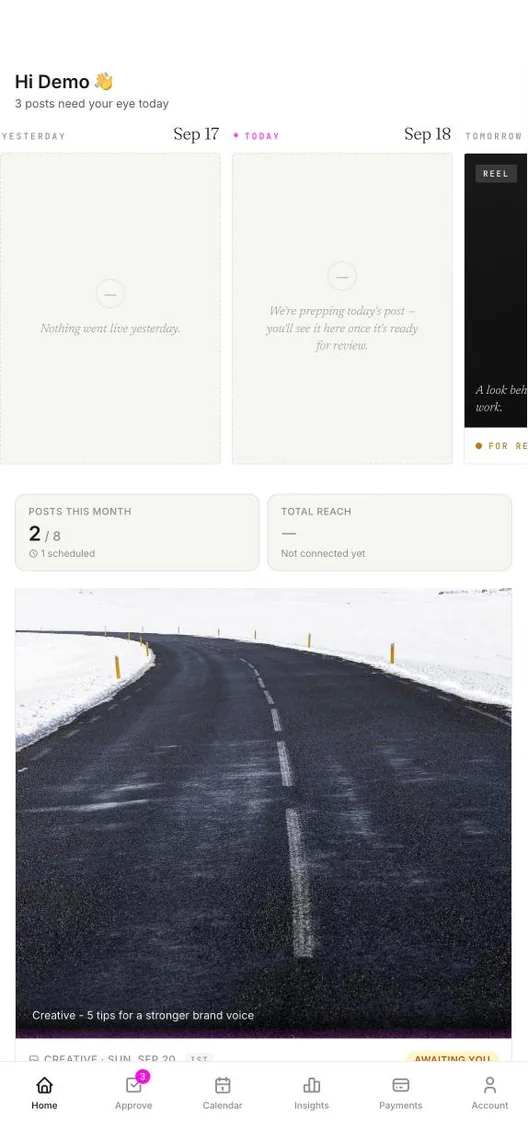
- Upload final. Under each post's preview in our dashboard there's an "Upload final" button. The editor picks the file; it's named from the brand and the posting date and filed our way: a graphic in the brand folder, a reel in Reels, a carousel in Carousel/DD.MM.YY with numbered slides. The post is linked to the file, moved to In Review, the brand manager is notified and the preview is built.
- The Drive watcher. For files dropped into Drive directly, a watcher checks each brand's folder every five minutes, read-only. When a dated file clearly matches one open post, it links it and moves the post to In Review. When it isn't sure, it never guesses: it tells the brand manager and offers a "Use this" button.
The watcher is configured for our own agency workspace and depends entirely on the naming convention, which is why the convention comes first. But even without automation, the structure pays off: the same linked file becomes the preview the client approves and, later, the media our auto-publisher pulls when the post goes live. There's no re-upload, so the published file is the one the client approved. (More on that in how approval-gated auto-publishing works.)
Five mistakes that break an agency Drive
- Naming by making date, so nobody can match a file to a calendar slot.
- Sharing the whole Clients folder with every new hire and freelancer.
- Keeping finals only in WhatsApp, where images and videos get compressed.
- "Final_v3" files instead of uploading a new version of the same file.
- Brand folders that each follow a different structure. Write it into your agency SOPs and make the first week of every new hire include it.
A tidy Drive won't win you clients by itself. But when a brand in Dehradun or Delhi asks for last year's Holi creative and you send it in 30 seconds, it shows the kind of agency you are. If you want the files, approvals, publishing and invoices joined up, that's what we built My Digital Sevak for.
Frequently asked questions
Should a social media agency use a shared drive or My Drive?
Use folders owned by the agency, never by a staff member's personal account. A Google Workspace shared drive is the cleanest because files belong to the organisation. If you use My Drive, keep every brand folder in one agency-owned account, so files don't leave when an employee or freelancer does.
Should files be named by making date or posting date?
Posting date. The making date drifts when shoots move, people take leave or a holiday falls mid-week, but the posting date is fixed in the content calendar. Naming by posting date means anyone can find the file for any slot on the calendar without asking who made it or when.
Why do reels need anyone with the link sharing?
Many preview players, including ours, can only play a Drive video inline when the file is openable without a Google sign-in. Setting reels to anyone with the link as Viewer lets previews play for clients and teammates. Keep it to finished reels, and keep raw footage and unreleased launches restricted.
Files, approvals and publishing in one place
Link each post to its Drive file, get one-tap client approval, auto-publish and invoice with GST in one login. From ₹999/month, with a 7-day money-back guarantee.