It's 9:40 on a Tuesday. A WhatsApp comes in: "Sir, aaj nahi aa paunga, tabiyat theek nahi." Fine — people fall sick. The real problem shows up at 4 PM, when a client asks where today's reel is, and you discover it was sitting with the person who's off. Nobody knew. The attendance register recorded the absence perfectly. It just didn't tell anyone what would break because of it.
I run a social media agency — 63+ brands over the years, one small in-office team — and I've tried the register, the shared sheet and the "just message the group" method. Search "attendance app for small office" and you'll get lists of HR and payroll suites. Some are excellent. Most solve a different problem than the one a 12-person office has.
What does a small office actually need from an attendance app?
A small office needs seven things:
- One-tap marking in the morning — present, half day or absent — with a timestamp, from phone or laptop.
- Half days as a real status, not a comment. Indian offices run on half days: bank work, a PTM, a doctor's visit.
- Leave requests with approval, so planned leave is asked for, approved and visible — not agreed verbally and forgotten.
- An office holiday list everyone can see, because Holi, Eid, Diwali and your state's local holidays never line up with a generic calendar.
- A path for sudden leave that's faster than a WhatsApp message and tells the manager what work is now at risk.
- A month view for the owner: who was present, on leave, on half days, and when they came and went.
- Corrections with a trail: staff can't edit their own past days, but a manager can fix a genuine mistake and it's recorded.
Geo-fencing, selfie check-in and shift rosters aren't on the list. They matter for factories and field teams; for a small office, they're overhead.
HR app, biometric machine, or attendance inside your work tool?
There are three honest routes. Here's how they compare for a small office:
| Need | Biometric machine + register | HR / payroll app | Attendance inside your work tool |
|---|---|---|---|
| Who came in today | Yes | Yes | Yes |
| Half days and leave approvals | Manual | Yes | Yes |
| Stops proxy attendance | Yes (fingerprint/face) | Often (GPS, selfie) | No — it relies on trust |
| Salary, PF, ESI, TDS | No | Yes (payroll tiers) | No |
| Leave balances and accrual | No | Yes | Usually not |
| Knows what work a person had today | No | No | Yes |
| Extra tool for the team to open | A device by the door | Yes, another app | No |
Biometric machines aren't expensive — one 2026 buyer's guide puts typical fingerprint units at ₹6,000–₹10,000 — but they answer only the first row. And if you go the GPS or face-recognition route on phones, you're collecting personal data, which brings consent duties under India's DPDP Act (we covered what that means for small firms in our DPDP Act guide for agencies).
Why should attendance sit next to the work?
In a small office, an absence is a delivery problem before it's an HR problem. When one of five designers is off, a fifth of today's output has no owner. A register can't see that; a task tool can.
The test I use: when someone says "I'm off" at 9:30 AM, how many minutes until their work for today has a new owner? With WhatsApp and a separate attendance app, the honest answer is "whenever the manager remembers to check". With attendance next to the tasks, the absence itself can create the handover: an urgent "Cover needed" task listing everything due today and tomorrow, sent to whoever assigns work. That is the single feature I'd now refuse to run an office without.
If you're sizing a team, read this alongside our guide on how many clients one social media manager can handle — capacity planning assumes people are actually in.
How we run attendance in our own office
We built attendance into My Digital Sevak's team workspace for exactly this reason. Here's the day as our team sees it:
- Morning: a banner on Home asks Present / Half day / Absent. Present or Half day punches you in with a timestamp; there's a Punch out button for the evening.
- 10:30 AM: anyone who hasn't marked gets a "Mark your attendance" reminder, in-app and as a device notification.
- 9 PM IST: anyone still punched in is punched out automatically, and the entry is labelled so nobody mistakes it for a real 9 PM exit.
- Planned leave: a request for a full or half day with dates and a reason goes to an admin or manager; approved days are marked as leave automatically and the person is notified.
- Sudden leave: "I'm off" logs the absence instantly, marks attendance, and creates an Urgent "Cover needed" task for managers listing the work now at risk — sent as a push notification, and on WhatsApp if the office has connected a WhatsApp Business provider. Managers also get a Needs-cover list: who's off today or tomorrow, with their open tasks.
- Holidays: an office holiday list, and content production days are moved off holidays and Sundays so nothing is planned for a day nobody is in.
- The month: a grid with Present / Half day / Absent / On leave / Holiday counts, in and out times, and the check-in log. Staff see only themselves, and their entry locks once marked. Admins and managers can see anyone, correct past days, and punch someone out on their behalf — every such change is audited.
- Outsiders: an exempt flag for non-employees like our outside CA, so they're never asked or shown absent.
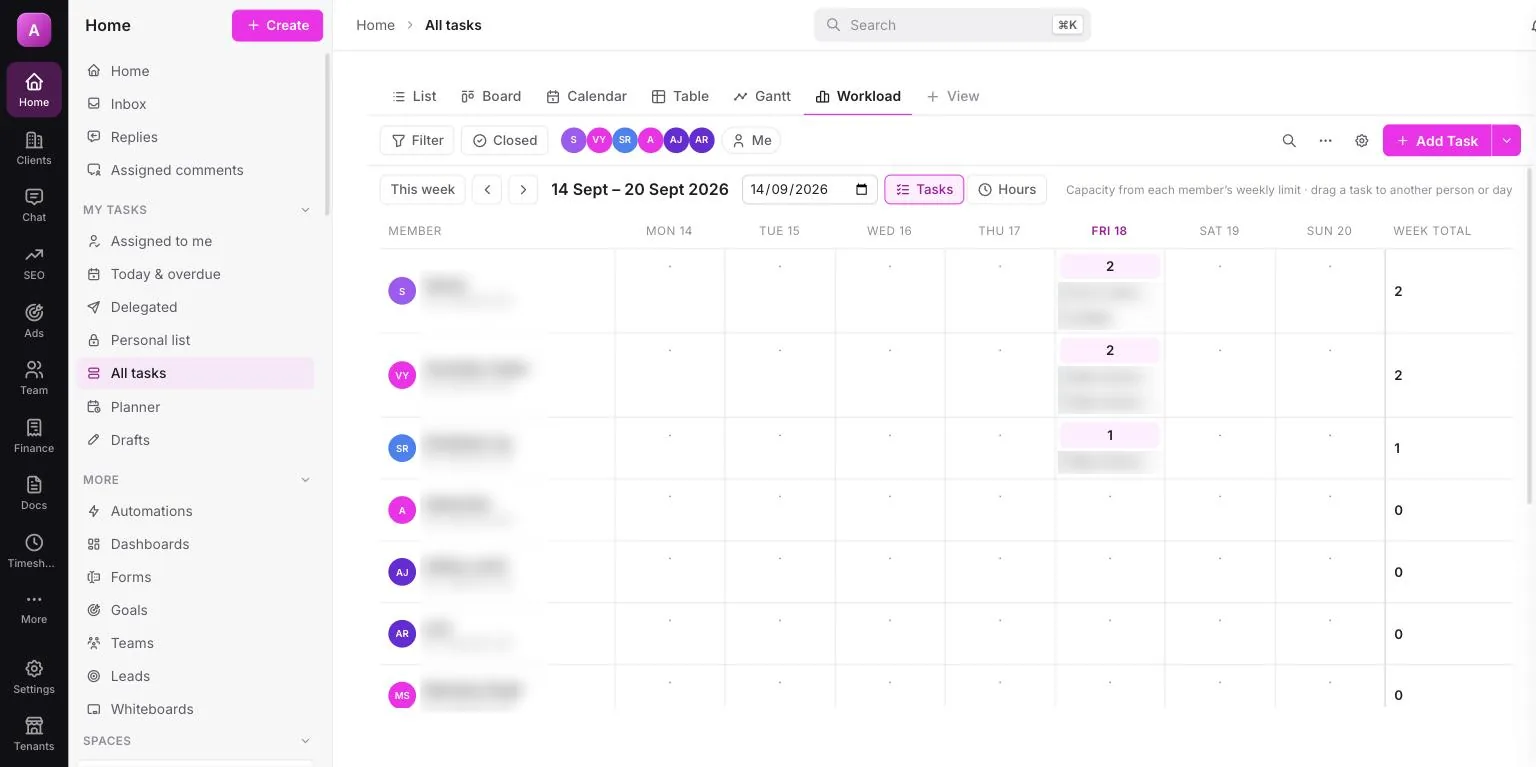
Attendance also feeds the "discipline" part of our monthly team scorecard — I wrote up how we designed that in our employee rewards program for a small agency. And it's deliberately separate from timesheets: attendance says whether someone worked today; timesheets say which client the hours went to.
What it doesn't do (read this before you switch)
I'd rather you pick the right tool than the wrong one from us. Attendance in My Digital Sevak is built for a small office running on trust, and it has clear limits:
- No GPS, geo-fence, selfie or biometric check-in. If proxy attendance is a real problem in your office, this won't stop it.
- No payroll. It won't calculate salary, PF, ESI or TDS. Your CA or a payroll app still does that.
- No leave balances or accrual. It records leave; it doesn't track "8 casual leaves left this year".
- Full or half day only — no hourly short leave.
- Weekly off is fixed to Sunday. Rotating weekly offs or alternate-Saturday policies need another tool.
- The 10:30 reminder is in-browser, not a WhatsApp message.
If two or more of those are dealbreakers, a dedicated HR app is the better pick.
A simple attendance policy for a 5–30 person office
Whatever app you choose, the policy matters more. This is close to what we run; copy it into your SOP doc and adjust:
- Mark attendance by 10:30 AM. Unmarked by noon counts as absent until a manager corrects it.
- A half day means four working hours, either the first or second half. Say which.
- Planned leave: request at least three working days ahead; leave around client launches needs a backup named in the request.
- Sudden leave: log it in the app before 9:30 AM, not only on WhatsApp. The app is the record.
- Publish the year's holiday list in the first week of January, including state holidays.
- The owner reviews the month grid on the 1st and fixes errors that week — not at appraisal time.
One compliance note: the central rules under India's new labour codes, notified in May 2026, standardise formats for registers including the attendance register, and which rules apply to you depends on your state. An app is a good daily record, but ask your CA whether you need a register in a specific format.
Frequently asked questions
Do I need a biometric machine for a small office?
Not usually. For a 5–30 person office where everyone sits together, a phone or browser check-in plus a manager who can see the month is enough. Biometrics make sense when you pay by the hour or shift, have proxy-attendance problems, or a client contract demands it. Then buy a proper device and HR app.
Can an attendance app replace payroll software?
Only if it actually runs payroll. Attendance tells you who was present, on leave or on a half day; payroll turns that into salary, PF, ESI, professional tax and TDS. If you run payroll in-house, pick an HR tool that does both, or hand the month's attendance to your CA or payroll provider.
How should a small office handle sudden leave?
Make one place where a sudden day off is logged before a set time, say 9:30 AM, and make that entry trigger a handover: the manager sees the person's open work for today and tomorrow and reassigns it. Logging the absence without moving the work is how deadlines quietly slip.
What is the difference between attendance and timesheets?
Attendance answers whether someone worked today: present, half day, absent, on leave or holiday. Timesheets answer where the hours went: which client, which task, billable or not. A small office needs attendance first; timesheets matter once you bill clients by the hour or want to know which retainers lose money.
Device prices are from Petpooja's 2026 attendance-machine buyer's guide; the labour-code rules notification is as reported by Business Standard (May 2026). Both checked on 21 November 2026. This is not legal advice — confirm register formats for your state with your CA.
Attendance, leave and the work — in one place
Mark attendance, approve leave, and turn a sudden day off into a "Cover needed" task, inside the same agency workspace that runs your tasks, client approvals and invoices. From ₹999/month, with a 7-day money-back guarantee.