Every agency founder in India knows the old ritual. You print the agreement, sign every page, courier it to the client, wait for the owner to be "in the office", wait for the courier back, then scan it so you have a copy you can actually find. A week, sometimes two. Meanwhile the client wants their first posts on Monday and you've either started work without a signature, or you're the agency that "takes too long to begin".
E-signing fixes the delay, but only if it's done in a way that would hold up if the client ever disputes the bill. Here's the practical version: what the law says, which kind of e-signature to use, the stamp duty question most agencies ignore, and the exact steps we follow. For what goes inside the contract (scope, IP, payment terms), read our guide to the social media retainer agreement first; this post is about getting it signed.
Is an e-signed contract legally valid in India?
For an agency retainer, yes. Three pieces of law do the work:
- The Indian Contract Act, 1872 still decides whether a contract exists: offer, acceptance, consideration, parties able to contract. The medium doesn't change that (Adobe's India legality summary walks through it).
- The Information Technology Act, 2000 says a contract isn't invalid just because it was formed electronically, and Section 3A recognises electronic signatures that are reliable or listed in its Second Schedule, which is where Aadhaar-based eSign sits (Mondaq).
- The First Schedule exclusions are the catch: wills, trust deeds, most negotiable instruments, powers of attorney and contracts to sell immovable property can't be done this way. A services agreement for social media management isn't on that list.
One thing that does not count: pasting a scanned image of your signature onto a PDF and emailing it. That proves nothing about who put it there (TaxGuru). Most "signed" agency contracts I've seen are exactly this.
Which type of e-signature should an agency use?
There are four ways agencies "sign" things today. Only two of them are worth using:
| Method | How it works | Proof if disputed | Use it for |
|---|---|---|---|
| Signature image pasted on a PDF | Someone drops a PNG of a signature on the file | Weak: anyone can paste an image | Nothing. Stop doing this. |
| "OK, go ahead" on WhatsApp or email | The client agrees in a message | Shows agreement, but to what version? | Small add-ons only, with the price written in the message |
| Click-to-sign tool with audit trail | Client opens an emailed link, types or draws a signature; the tool records email, time, IP and seals the PDF | Good: an audit certificate ties the signature to their email | Most monthly retainers with small and mid-size businesses |
| Aadhaar eSign | Signer verifies with an OTP on their Aadhaar-linked mobile through a licensed eSign provider | Strongest: a Second Schedule method under the IT Act | High-value contracts, corporate clients, anyone whose legal team asks |
My honest take: for a ₹25,000–₹60,000 monthly retainer with a business owner, click-to-sign is the right call. It takes the client under a minute on their phone, which matters more than you'd think. Owners who sit on a contract for days usually aren't unsure; they just haven't found the five minutes. Aadhaar eSign adds a step (the OTP goes to whichever number is linked to their Aadhaar, which is not always the phone in their hand), and Indian providers charge per signature, typically somewhere in the ₹5–₹50 range (HyperVerge's pricing guide). Worth it for a ₹10 lakh annual contract with a company. Overkill for a café.
Do you still need stamp duty on an e-signed contract?
This is the part almost every agency skips, and the one I'd take most seriously. The Indian Stamp Act, 1899 was written for paper and doesn't specifically deal with electronic records (DocuSign's India page). But stamp duty is a state subject, and states such as Maharashtra, Karnataka and Delhi have brought electronic agreements into their stamp laws (Osborne Clarke).
Why it matters: an unstamped or under-stamped agreement can be refused as evidence until you pay the duty plus a penalty, which can run up to ten times the duty (iPleaders). The contract is still a contract; you just can't easily use it in a dispute, which is the only time you need it.
What we do: buy an e-stamp certificate for the right state before sending (through the state's e-stamping system, or the digital stamping that some eSign providers offer), and attach it as the first page of the PDF. The amount for a services agreement is usually small, but it varies by state and by how the agreement is classified, so I won't quote a number. Ask your CA or lawyer once, write the answer into your SOP, and reuse it.
How do you e-sign a social media retainer, step by step?
- Finalise scope and price in your template. Number of posts, reels, platforms, revisions, the monthly fee before GST. No "TBD" lines.
- Fill the client's legal details. Legal name exactly as on their GST registration, GSTIN, registered address, and the signatory's name and designation. "Sharma Sweets" on Instagram is often "Sharma Food Products Pvt Ltd" on paper.
- Add the e-stamp if your state requires it.
- Export a PDF and stop editing. The signed file must be the exact version both sides read. Change anything later through a written addendum.
- Send it to the authorised signatory, not the marketing executive who's been your contact (more on this below).
- Set the signing order: client first, agency countersigns. You don't want a contract signed by you and sitting open.
- Follow up after two days with one polite reminder. Most delays are attention, not hesitation.
- Store the sealed PDF and the audit certificate together, in the client's folder, where anyone on your team can find it.
- Start work and raise the first invoice only once it's signed. Your invoice can then refer to the agreement date, which your client's accounts team will thank you for (see our GST invoice guide).
Who should sign the contract for the client?
The person with authority to bind the business, which is often not the person you've been talking to:
- Proprietorship: the proprietor.
- Partnership or LLP: a partner, or a designated partner for an LLP.
- Private limited company: a director, or someone the board has authorised (ask for their designation in the contract).
We learned this the hard way. A marketing manager signed a retainer, left the company three months later, and the new team argued that "nobody authorised this spend". The contract was fine; the signatory wasn't. Now the signatory's name and designation are fields in our template, and we confirm them on the kickoff call.
Mistakes that make e-signed contracts useless
- Sending an editable Word file and letting the client "sign" by typing their name.
- A different PDF version from the one discussed on the call, so the client later says "that's not what we agreed".
- No audit trail, because the tool was a free PDF editor rather than a signing tool.
- Contracting in a name that isn't on your GST registration, so the invoice and agreement don't match.
- Losing the signed copy in someone's inbox. When a client disputes a bill in month eight, you need the file in under a minute.
How we send and track contracts
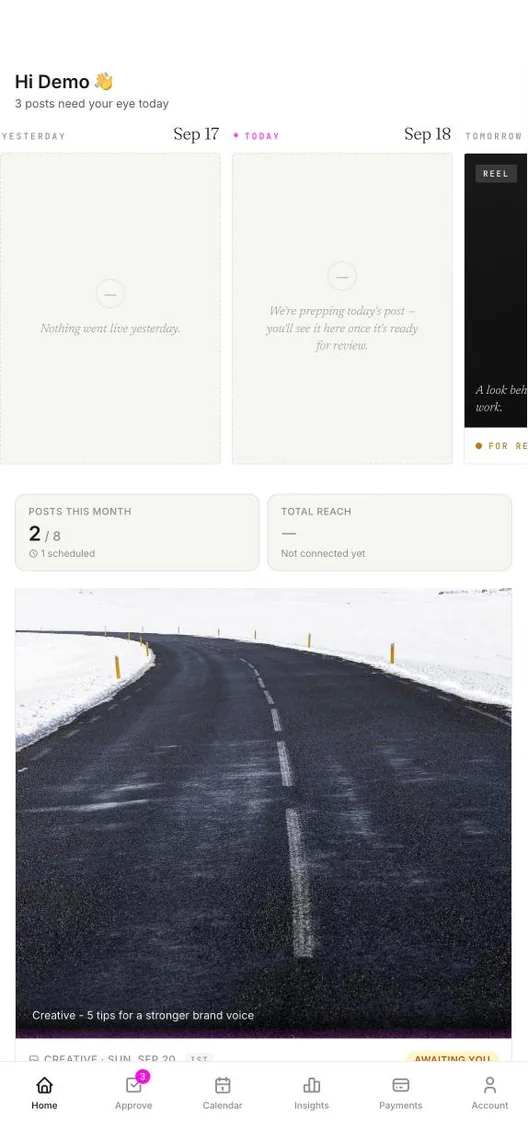
In My Digital Sevak, the contract is one step in client onboarding rather than a separate tool. Contract templates live in Settings → Onboarding, written once with placeholders like the client's name, fee and start date. When the client has filled the onboarding form, we click Send contract: the app fills the template, makes a branded PDF and sends it for signature through Documenso, a click-to-sign service that seals the PDF and keeps a signing record. To be clear, this is click-to-sign, not Aadhaar eSign.
The client gets the signing link by email, and their portal shows it too until it's signed. If they haven't signed after two days, the app reminds them automatically, at most once a day. Once they sign, the signed PDF is saved against the client, their status changes to onboarded, the team gets a notification, and every invoice email after that carries a "View contract" link. Nobody hunts through inboxes. The full flow, from form to contract to first calendar, is in our client onboarding form guide.
Whether you use a tool like ours or a standalone signing app, the rule is the same. A signed contract should take a day, live in one place, and match your invoices exactly. Agencies in Mumbai, where Maharashtra's stamp law already covers electronic agreements, should get the e-stamp step right from the first client.
Frequently asked questions
Is a click-to-sign contract valid in India?
Yes, for an ordinary services agreement. The IT Act lets contracts be formed electronically, and a retainer is not on the list of documents the Act excludes. Click-to-sign is not a Second Schedule method like Aadhaar eSign, so if it is ever disputed you prove who signed with the tool's audit trail of email, time and IP.
Do I need stamp paper for an e-signed agency agreement?
Possibly. Stamp duty is a state subject and several states, including Maharashtra, Karnataka and Delhi, treat electronic agreements as instruments that attract duty. An unstamped agreement can be refused as evidence until duty and a penalty are paid. Buy an e-stamp for your state before signing, and ask a CA or lawyer for the rate.
Should I use Aadhaar eSign for client retainers?
Use it when the contract value is high or the client's legal team asks for it. Aadhaar eSign is listed in the IT Act's Second Schedule, which makes the signature harder to deny. For a typical small-business retainer, a click-to-sign tool with a proper audit trail is faster for the client and usually enough.
Sources checked on 27 November 2026: Mondaq and TaxGuru on Section 3A and the IT Act schedules, Adobe's and DocuSign's India legality pages, Osborne Clarke on state stamp laws for e-contracts, iPleaders on unstamped instruments, and HyperVerge on Indian e-signature pricing. This is an agency founder's practical guide, not legal advice; for stamp duty rates and high-value contracts, check with a lawyer or CA in your state.
Contracts signed before the first post goes out
Onboarding forms, contract templates sent for e-signature with automatic reminders, and the signed copy linked from every invoice, in the same agency workspace as your calendars and approvals. From ₹999/month. Try it free for 3 days, no card needed, with a 7-day money-back guarantee.