The slowest part of getting paid in India isn't the client's cash flow. It's the back-and-forth. "Please share the account details." "Which account, the old one?" "Is this IFSC correct?" "Sent, please check." Then a screenshot of a UPI payment that you have to match to an invoice by hand, three days later, while you're also trying to post for twelve brands.
A payment link cuts most of that out. The client taps once and pays the way they pay for everything else, usually UPI. But a link sent the lazy way creates new problems: wrong amounts, payments you can't match, and accounts teams who can't book the expense. Here's how to do it properly for agency invoices.
What is a Razorpay Payment Link, and how is it different from Razorpay Invoices?
Razorpay has a few ways to ask for money, and the names overlap. This is what each one is for:
| Option | What it is | Best for |
|---|---|---|
| Payment Link | A short link for one fixed amount, sent by SMS, email or WhatsApp. No website needed. | Collecting one invoice you've already made elsewhere |
| Razorpay Invoices | Razorpay creates the GST invoice itself, with a payment link inside it (Razorpay Invoices) | Businesses with no other invoicing tool |
| Payment Page | A reusable page where the customer enters details and pays | Fixed packages, workshops, open-ended fees |
| Pay button in your own invoice or portal | Your billing tool opens Razorpay checkout for that exact invoice | Agencies billing many clients every month |
If you already make invoices in Tally, Zoho, a spreadsheet or agency software, the Payment Link is the one you want: your invoice stays the official document, and the link only collects the money. (Developers note: Razorpay's old v1/invoices endpoint for links has been replaced by v1/payment_links, per Razorpay's Payment Links docs.)
How do you create a payment link for an invoice?
In the Razorpay Dashboard, open Payment Links and choose Create Payment Link. Then fill it in like this:
- Amount: what the client owes after TDS (more on this below), not automatically the invoice total.
- Payment for / description: the invoice number, the month and the service. "INV A-0142 · November 2026 social media retainer". This is what the client sees, and what you search for later.
- Reference ID: the invoice number again. It makes every payment report and settlement easy to match back.
- Customer details: the person who actually approves payments, not the brand owner if the owner never pays. Usually the accounts person's phone and email.
- Expiry: a few days after the due date. An old link that someone pays twice six months later is a refund you didn't need.
- Partial payments: turn this on if the client sometimes pays in two parts. It only works on standard links, and the client can pay the balance later on the same link (Razorpay docs).
- Reminders: Razorpay can send up to three reminders by SMS, email or both, timed before the expiry date (Razorpay reminders).
Then copy the short link and send it along with the invoice PDF. Razorpay can also text and email it to the client directly. You'll get a notification the moment it's paid.
What amount should the payment link be for?
This is the mistake that turns a convenience into a dispute. Most business clients deduct TDS before paying you. Take a typical retainer:
| Line | Amount |
|---|---|
| Retainer fee | ₹50,000 |
| GST at 18% | ₹9,000 |
| Invoice total | ₹59,000 |
| TDS at 2%, on the value before GST | − ₹1,000 |
| Amount the client pays you (link amount) | ₹58,000 |
If you send a link for ₹59,000, the accounts team either holds it ("we can't pay the gross, we have to deduct TDS") or pays it and then deducts the ₹1,000 from next month. Both are messier than simply asking for ₹58,000 and showing gross, TDS and net on the invoice. Which TDS rate applies to your work, 1%, 2% or 10%, is covered in our guide to TDS on digital marketing services.
For individual clients and small shops who don't deduct TDS, the link is simply the invoice total.
What does a Razorpay payment link cost?
Payment links use Razorpay's normal gateway pricing. On the standard plan, most domestic methods, UPI included, cost 2% of the payment plus 18% GST on that fee, and domestic money usually settles to your bank in two working days (Razorpay's pricing explainer). Some methods cost more, so check the pricing page for your account.
On the ₹58,000 example: ₹1,160 fee plus ₹208.80 GST, so ₹56,631.20 reaches your bank. Two things worth knowing:
- The GST on the fee is input credit. If you're GST-registered, claim it like any other business expense; we cover that in GST input credit for agency expenses.
- Don't add a "convenience fee" to retainers. You can, but on a ₹50,000 retainer it reads as nickel-and-diming. Price the 2% into your fee and keep bank transfer available for clients who prefer it.
Five payment-link mistakes agencies make
- Sending a link without the invoice. A payment link is not a tax invoice. The client's accounts team needs your GSTIN, their GSTIN, the SAC code and the tax split to book the expense and claim credit. Our GST invoice guide has the full list.
- No invoice number on the link. When five clients pay ₹25,000 in the same week, "Payment from Rahul" tells you nothing.
- Charging the gross when the client deducts TDS. See the table above.
- Links that never expire. Old links get found in WhatsApp search and paid again.
- Marking the invoice paid by hand from a screenshot. Wait for the payment to show in Razorpay, then record it against the invoice. Screenshots get edited, and payments fail after the screenshot is taken.
Should you send links, or put a pay button on the invoice?
Links are perfect when you bill a few clients, or one client once. They get painful at ten or twenty retainers a month: you're making each link by hand, copying amounts from your invoice, and matching payments back yourself. At that point the payment should be attached to the invoice itself, so the amount, the reference and the "paid" status all come from the same place.
That's how we run it in My Digital Sevak's GST invoicing. We don't make separate links. The invoice email carries a "View invoice in your portal" button plus bank and UPI details for clients who prefer a transfer. In the client's portal, the pay button opens Razorpay checkout for the balance still due, already net of TDS and of anything paid earlier. Clients can pay the full balance or a part (Razorpay's minimum is ₹100). When the payment goes through, Razorpay tells our system, the invoice is marked paid or part-paid, and admins and managers get a notification.
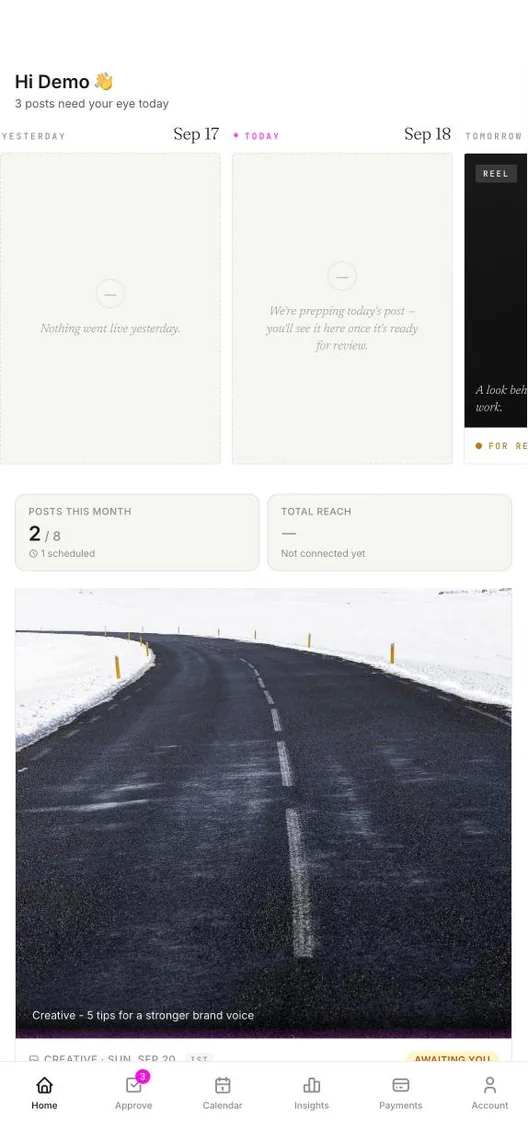
The honest limit: some clients will never open a portal, and that's fine. For them, a Razorpay payment link on WhatsApp, made the way described above, works well. If you're moving retainers to automatic monthly billing, read recurring billing with Razorpay first, because auto-debit has limits that a payment link doesn't. And if a client still pays late with a link in hand, the problem isn't the link; our guide to handling late-paying clients covers what to do. Agencies in Pune and across India tend to find the same thing: once paying is one tap, most "delays" disappear.
Frequently asked questions
Is a Razorpay payment link a valid GST invoice?
No. A payment link only collects money. Your client's accounts team still needs your tax invoice with your GSTIN, their GSTIN, the SAC code and the tax split to book the expense and claim input credit. Send the invoice PDF and the link together, and put the invoice number on the link so the payment can be matched.
How much does Razorpay charge on a payment link?
Payment links follow Razorpay's standard gateway pricing: 2% per transaction on most domestic methods, including UPI, plus 18% GST on that fee. On ₹58,000 that is ₹1,160 plus ₹208.80 GST. Money usually settles to your bank in two working days. Check razorpay.com/pricing for your plan's current rates.
Should the payment link be for the full invoice amount?
Not if the client deducts TDS. A business client will pay the invoice total minus the TDS they withhold, so a link for the gross amount will either fail their approval or get paid short. Make the link for the net amount the client actually owes, and show gross, TDS and net on the invoice itself.
Sources checked on 27 November 2026: Razorpay's Payment Links documentation (creating links, partial payments, reminders), Razorpay Invoices, and Razorpay's pricing explainer and pricing page. Fees and settlement times are Razorpay's standard published terms and can differ by plan; confirm on your own dashboard. TDS rates: talk to your CA for your case.
Invoices your clients can pay in one tap
GST invoices with TDS worked out, a Razorpay pay button in the client's portal, part-payments and automatic "paid" status, next to your calendars and approvals in one agency workspace. From ₹999/month. Try it free for 3 days, no card needed, with a 7-day money-back guarantee.