Why remind your team on WhatsApp at all?
Because that's where your team actually is. In most Indian agencies, the designer and the video editor live on WhatsApp all day. Email goes unread, and app notifications get swiped away with forty others. For years, our own reminder system was me sending "Bhai, reel ka kya hua?" at 3 PM for something due at 5. It worked, but it meant I was the reminder system, and the deadline I forgot to chase was the one that slipped.
So we moved the chasing into the software. Your team gets a WhatsApp before the deadline, without anyone having to remember to send it.
How do WhatsApp task reminders work?
- Connect your WhatsApp Business number onceReminders go out from your agency's own number through the official WhatsApp Business Platform, so your team sees your name. We help you connect it during setup.
- Add each person's numberTeam members add their WhatsApp number in their settings, or an admin adds it for them. An admin can send each person a one-time welcome note on WhatsApp so they know what to expect.
- Pick your timingChoose how far ahead reminders go out, which kinds of work count, and whether to add an evening-before message. Admins set this once in Settings → WhatsApp.
- Assign work as usualEveryone assigned to an open task gets a WhatsApp before it's due. They tap Mark as done in the message, with no login needed, and the task closes on your board.
When does the reminder go out?
- Tasks due at a set time: anywhere from 15 minutes to 24 hours before, two hours by default. A reel due at 4 PM pings at 2 PM.
- Tasks due on a date with no time: on the due date at a time you pick, 9:30 AM India time by default.
- The evening before (optional): an extra message at 6 PM the day before, useful for early-morning shoots and launches.
You also choose which kinds of work trigger a reminder: tasks, content posts, project milestones, SEO reports, ad tasks, meetings, requests and leads. If someone moves the due date, the reminder moves with it. If the task is already done, nothing goes out.
More than the deadline reminder
- Assignment messages: when you assign a task at or above the priority you set, the person gets a WhatsApp with the title, due date and who it's from.
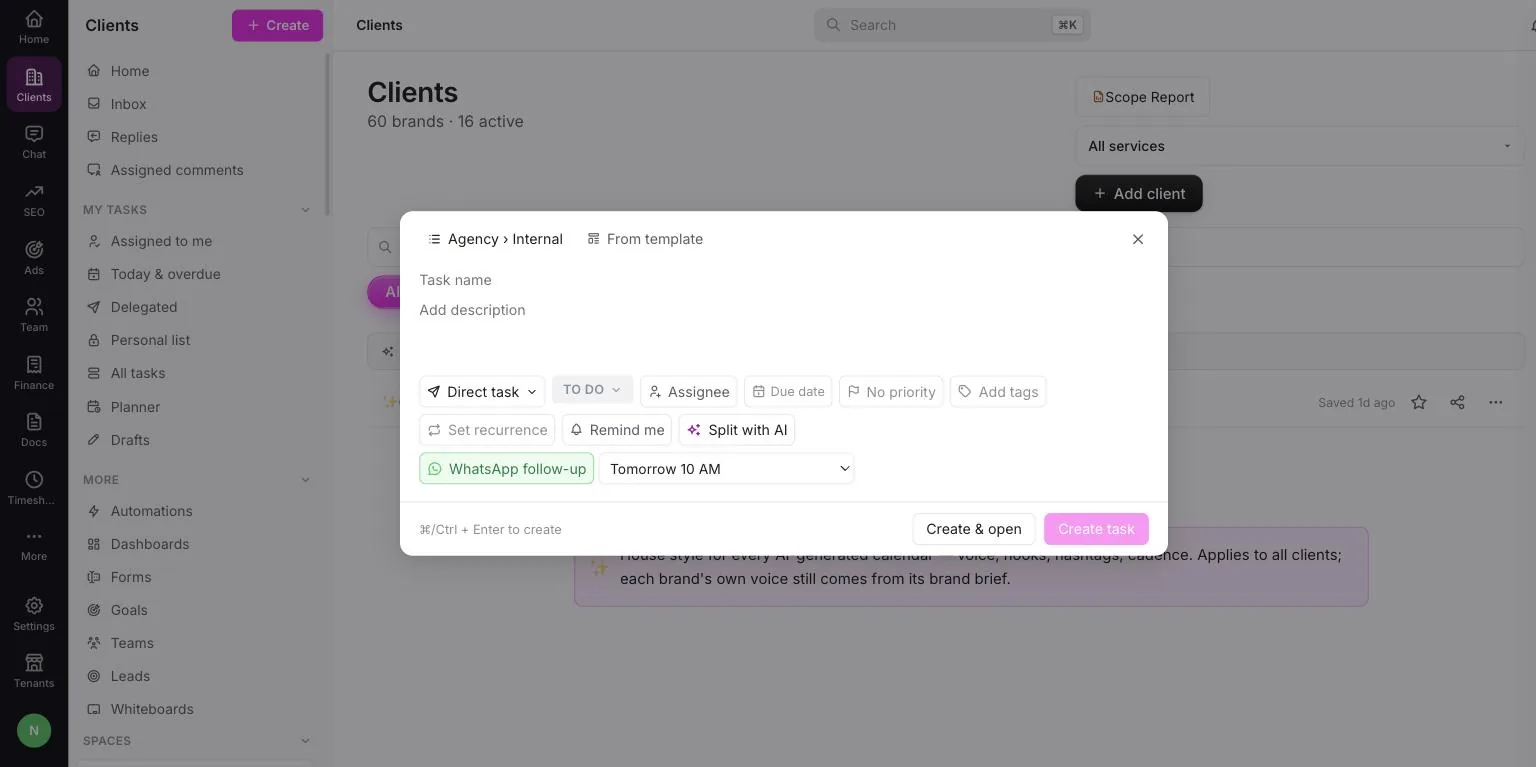
- Follow-ups on any task: set one while creating the task: at a time you pick, before it's due, or repeating until it's done.
- Completion updates: when a task is marked done, the person who assigned it can get a WhatsApp, so you stop asking "ho gaya?"
- Automation nudges: rules like "when a task is overdue, send the assignee a WhatsApp" run on their own. See the team workspace for how automations work.
Won't this spam my team?
We built it to be a reminder, not a chase. Each person gets one upcoming reminder per task. There's a daily cap per person. Everyone can set quiet hours in India time, say 9 PM to 8 AM, and messages wait until those hours end. Do Not Disturb is respected, and each person can switch WhatsApp reminders off. The same reminder always lands in their in-app inbox too, so people without WhatsApp still see it.
Can't ClickUp or Asana do this?
ClickUp and Asana send reminders by email, push notification and their own inbox. WhatsApp isn't one of their built-in channels, so getting deadline reminders onto WhatsApp means a third-party connector, its own subscription, and someone to fix it when it breaks. In My Digital Sevak, it's part of the task itself. The same workspace also holds the client approval app, the Instagram scheduler and GST invoicing. That's the difference between a task tool and agency management software.
| Manual WhatsApp chasing | My Digital Sevak | |
|---|---|---|
| Who remembers to send it | You, or a manager | Nobody, it goes out on its own |
| Closing the task | "Done ✅" in chat, someone updates the sheet | One tap on Mark as done, the board updates |
| Late-night messages | Whenever you remember | Held until the person's quiet hours end |
| Record of what was sent | Scattered across chats | Every message logged with its status |
Reminders fix the "forgot" problem, not the "too much work" problem. If deadlines keep slipping, check the load first. Our guide on how many clients one social media manager can handle helps, and so does writing your process down as agency SOPs.
Frequently asked questions
How do I remind my team about deadlines on WhatsApp?
Connect your WhatsApp Business number to My Digital Sevak once and add each team member's number. After that, everyone assigned to an open task gets a WhatsApp before it is due, at the lead time you choose, and can tap Mark as done right from the message. Nobody has to send reminders by hand.
When does the WhatsApp reminder go out?
For a task due at a set time, anywhere from 15 minutes to 24 hours before — two hours by default. For a task due on a date with no time, on the morning of the due date at a time you pick. You can also add an extra reminder at 6 PM the evening before.
Will my team get spammed with messages?
No. Each person gets one upcoming reminder per task, finished tasks are skipped, and there is a daily cap per person. Everyone can set quiet hours in India time, and messages wait until those hours end. Each person can also switch WhatsApp reminders off and still see them in the app.
Do team members need to log in to mark a task done?
No. The message carries a one-tap Mark as done link tied to that person and that task, so they can close it from WhatsApp without opening the dashboard. The person who assigned the task can also get a WhatsApp when it is completed, so they know without checking.
Which WhatsApp number do the reminders come from?
Your own WhatsApp Business number, through the official WhatsApp Business Platform, so your team sees your agency's name, not ours. We help you connect it and set up the message templates during setup. WhatsApp reminders and automations are included from the Growth plan at ₹1,499/month.
Stop being your team's reminder system.
Every deadline gets its own WhatsApp, and every task closes with one tap. From ₹999/month, with a 7-day money-back guarantee. See all features.