Short answer: An AI assistant for a marketing agency should do the work inside your dashboard, not just chat: load a month's calendar from a sheet, write captions from the actual creative, assign and reschedule tasks, all under each person's own login and permissions, asking before risky steps. Humans keep strategy, client conversations, money and final approval.
Search for this and you get lists: twenty-one AI tools for agencies, eleven AI agents for marketing, a vendor's "AI employees". Most of them describe the same thing, a chatbot you copy-paste into. You paste the brief into a chat window, copy the answer into a Google Sheet, then copy the sheet into your scheduling tool, row by row. The AI did the writing and handed you the moving: text shuttled between tabs by hand.
And your team is already doing this, whether you set it up or not. Microsoft and LinkedIn's 2024 Work Trend Index found 75% of knowledge workers use AI at work, and 78% of those AI users bring their own tools, which Microsoft itself frames as a risk to company data. In an agency, that means a client's unannounced launch sitting in a junior executive's personal chatbot history.
Disclosure: we built an assistant called Sevak into My Digital Sevak, so I have a view. Here's the reasoning, so you can judge any tool by it, ours included.
What should an AI assistant for a marketing agency actually do?
Search Atlas has a useful way to split marketing AI into three tiers: support (drafting, summarising, research), workflow automation (a fixed process on a trigger), and execution (changes made directly to live systems). Their line on the first tier is right:
"A general AI assistant is enough when marketing work stops at drafting, research, summarization."
An agency's work almost never stops at drafting. The caption has to land on the right post, the post on the right editor's list, the creative in front of the client, and the approved post out at 7 PM IST. Every one of those steps is a handoff, and handoffs are where agency hours go. So the job of an agency assistant is not to write better than ChatGPT. It's to remove the handoffs, which means it must be allowed to act. That's the execution tier, and it needs guardrails.
Chatbot or in-dashboard assistant: what's the difference?
| Copy-paste chatbot | Assistant inside your dashboard | |
|---|---|---|
| What it knows | Whatever you paste in | What's in your workspace: the screen you're on, the brand's calendar and posts |
| Where the output goes | A chat window; you move it | Saved into the actual post or task |
| Whose permissions | None, or the personal account it's logged into | Your own login: your role and visibility rules apply |
| Risky actions | Can't take any, so you do them all by hand | Asks first: an Allow / Cancel card before anything risky |
| Captions | From your description of the creative | From the creative itself |
| Client data | Pasted into a third-party account | Read from your workspace under its access rules, not pasted into personal accounts |
Where does AI genuinely save an agency hours?
Not where the demos point. Writing a clever hook takes a good copywriter two minutes. The hours go on the boring middle of the month. These are the jobs where we've seen AI help, in rough order of time saved:
- Loading the month. Strategists still plan in spreadsheets, and someone used to spend an afternoon retyping thirty rows into the calendar. Sevak loads a whole content calendar from the sheet in one go. Before it does, it asks about the month's holidays, because we don't schedule production on holidays or Sundays. That one question is what keeps a shoot from landing on Diwali. If you're still building the sheet, see how to bulk schedule a month of content.
- Captions from the actual creative. A chatbot writes from your summary of the reel. Ours watches the reel, including Hinglish speech and on-screen text, reads the graphics, and writes the caption and hashtags in that brand's style based on its recent approved captions. It fills the fields for review and never overwrites what's there. The rest of the caption workflow is in our AI caption generator guide.
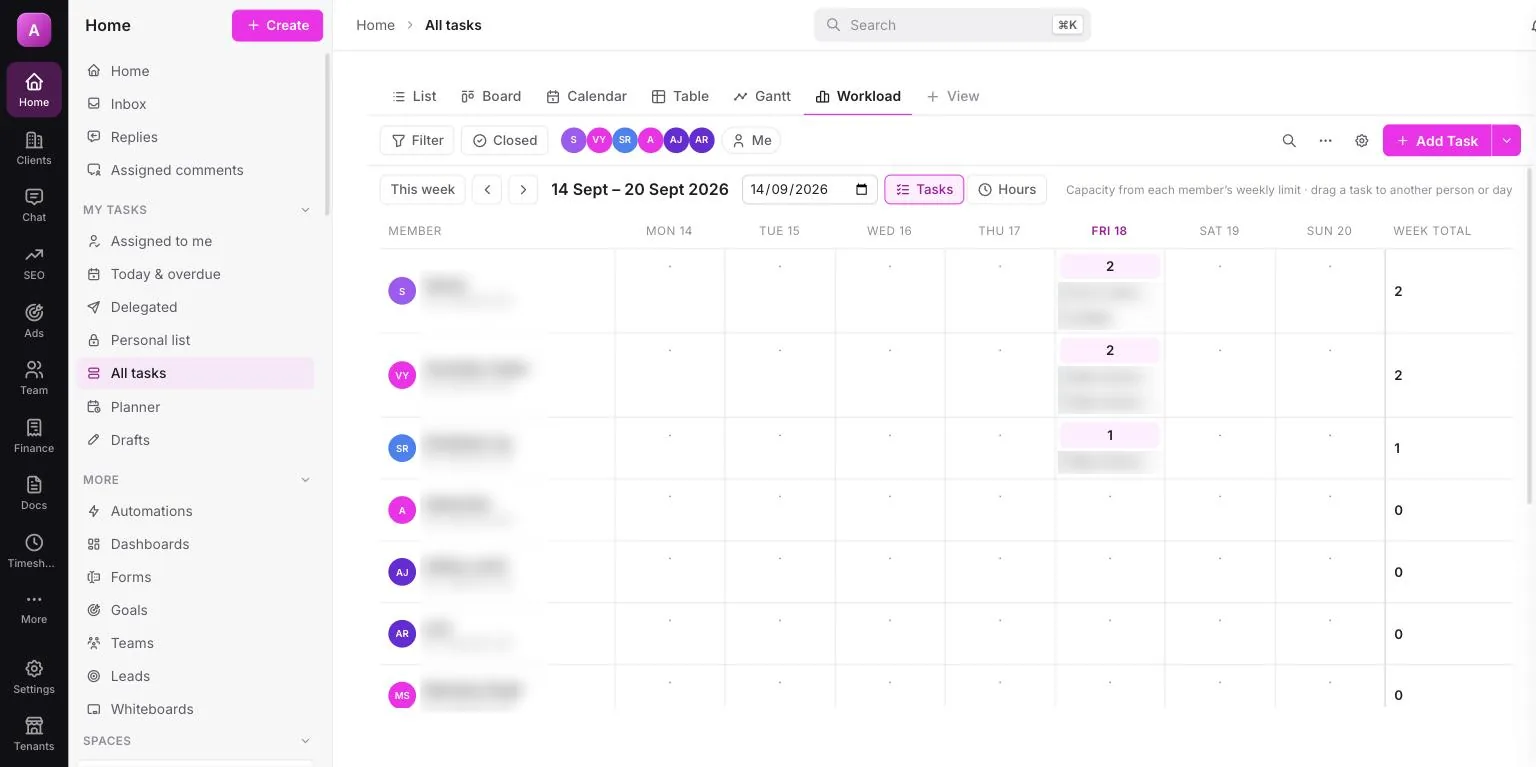
- Re-planning when the plan breaks. An editor calls in sick on a Thursday. Typing "move Thursday's reels to Friday and give the carousel to Priya" is faster than dragging nine cards around, and Sevak can assign and reschedule as you ask.
- Finding things. "Which posts for this brand are still waiting on the client?" Sevak navigates and reads the screen to answer, instead of someone scrolling three views.
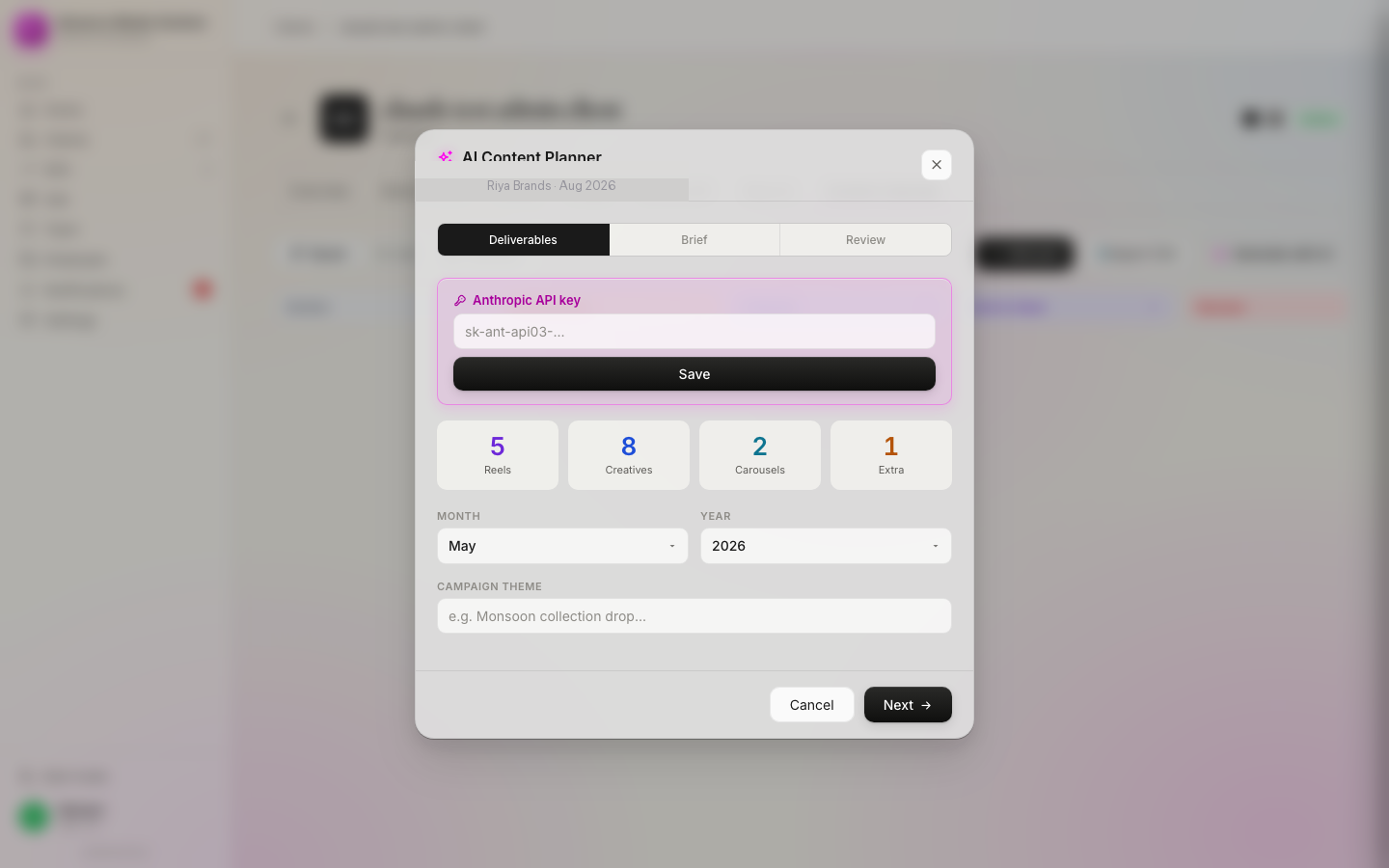
- The first draft of next month. Our separate AI Content Planner drafts a month of posts per brand from the brief, content pillars and about twenty recent posts. It can run on the 25th and leave next month as drafts. Nothing goes to a client automatically. More in our AI content calendar guide.
Why should the assistant use your login, not its own?
This is the question most AI tool lists never ask. Once an assistant can act, the risk isn't a bad sentence. It's a wrong action. OWASP's security list for AI applications calls this "Excessive Agency", and its recommended fixes map almost exactly onto an agency: give the AI the minimum permissions needed, run its actions in the user's own context, and require a human to approve high-impact actions. OWASP's own example of that last one is a confirmation step before a social media post is published.
That's how we built Sevak:
- It runs the same actions as the buttons, under your login. A designer asking Sevak can't see invoices, because the designer can't. Only admins and managers see every task; everyone else sees the tasks they're part of, and Sevak follows the same rule.
- Risky actions show an Allow / Cancel card. Deleting, anything touching money, sending to clients, publishing, and access or bulk changes all wait for a human click.
- The system has its own floor. Publishing refuses an unapproved post no matter who asks, human or AI.
- House rules are written down. Admins write "office notes" Sevak follows: banned phrases, hashtag counts, how a brand's name is spelt. And there's a monthly usage cap, so nobody wakes up to a surprise.
Where must humans stay in the loop?
- What the brand stands for. Content pillars, the offer, the angle on a festival. AI can draft options; it can't own the client relationship that decides between them.
- Anything a client reads from you directly. Especially a reply to an unhappy client. Tone is where agencies keep or lose accounts.
- Facts, prices, offers and claims. Never let AI invent a discount, a testimonial or a health claim. Our ChatGPT prompts guide lists what not to trust it with.
- AI-generated visuals. India's IT Amendment Rules 2026 require synthetic visuals to be clearly labelled. Somebody accountable has to check that, every time; we covered the rule in will AI replace social media managers.
- Money. Invoices, discounts, write-offs. That's why money always sits behind an Allow card.
- The final yes. That belongs to the client. We deliberately keep AI out of the client portal: the client sees work your team stands behind.
How do you roll an AI assistant into an agency without chaos?
- Write the house rules first. One page: voice, banned words, hashtag limits, festival rules, spellings of every brand name. An assistant without rules sounds like everyone else's.
- Week one, questions only. Let the team ask it to find things. Trust gets built on answers before actions.
- Week two, one person loads calendars. Your strategist loads next month's sheets and checks the result against the plan.
- Then captions, always edited. Treat every AI caption as a first draft that a person signs.
- Never click "allow" without reading. The card is only a safeguard if someone reads it.
This works the same for a four-person studio in Dehradun or a thirty-person team in Bengaluru. The difference is only how many calendars you load on the 25th. If you want to see the rest of the workspace the assistant lives in, start with the team workspace.
Frequently asked questions
What can an AI assistant do for a marketing agency?
The useful jobs are the repetitive handoffs: loading a month's content calendar from a spreadsheet, drafting captions from the finished creative, assigning and rescheduling tasks when plans change, and finding things like which posts are still waiting on a client. Strategy, client conversations, money and final approval should stay with people.
Is ChatGPT enough as an AI assistant for an agency?
For drafting, research and summaries, yes. It falls short when the work has to land somewhere: the draft still has to be copied into the calendar, assigned, approved and scheduled by hand. A general chatbot also doesn't know your agency's permissions, so client data ends up pasted into personal accounts.
Is it safe to let an AI assistant take actions inside agency software?
It can be, if three rules hold: the assistant acts under the person's own login, so it can't see or change more than they can; high-impact actions such as deleting, money, sending to clients or publishing need a human click to allow; and the agency's house rules are written down for it.
Will an AI assistant replace agency staff?
It replaces chores, not roles. The hours it gives back come from copy-paste, re-planning and first drafts. Someone still has to decide what a brand should say, judge whether a reel is good, handle an upset client and stand behind every post. In a small agency, that's the senior work you never had time for.
An assistant that does the work, under your rules
Sevak loads calendars, writes captions from the creative and re-plans the week inside the same workspace as your approvals, publishing, reports and invoices. From ₹999/month, with a 7-day money-back guarantee.