Most advice on this topic is written by task-tool companies, so it reads like a feature list. That's not where agencies struggle. We have run content for 63+ brands out of a small office in Uttarakhand, and our task problems were never "we lack a Gantt chart." They were: a reel nobody started because the brief sat in a WhatsApp group, a designer quietly carrying 14 posts while another had 4, and a client approving a post on the day it was meant to go live.
This post is about the shape of the work, not about which app to buy. If you want tool reviews, we've written those separately (ClickUp, Trello, and a ranked list).
Why is task management different in a social media agency?
In a software company, a task is a ticket. In a social media agency, a task is a post, and a post changes hands five or six times before it's live. Each handoff is a place where it can stall unnoticed.
| Stage | Who holds it | "Done" means | Where it usually stalls |
|---|---|---|---|
| 1. Brief | Account / brand manager | Topic, format, caption idea and references written down | Brief lives in someone's head or a voice note |
| 2. Production | Designer or video editor | File handed in, not "almost ready" | Overloaded maker, unclear deadline |
| 3. Internal review | Brand manager | Checked against brief and brand guidelines | Manager is in meetings; nobody else can approve |
| 4. Client approval | Client | Approved, or changes requested in writing | Sent on WhatsApp, buried under 40 messages |
| 5. Revision | Maker again | v2 handed in | Feedback not passed on, or passed on wrongly |
| 6. Schedule and publish | Manager or auto-publish | Live on the platform | Approved post forgotten in a folder |
Two rules follow from this table. First, one task per post, not one task per stage. If "design the Diwali post" and "get the Diwali post approved" are separate tasks, someone has to close one and open the other by hand, and that's exactly the step that gets skipped. A single task that changes status keeps the history in one place. Second, the status is the handoff. When the editor moves a reel to "In review", that move should tell the brand manager, not a separate WhatsApp message saying "bhai, dekh lo". We wrote up the client side of this loop in our approval workflow template.
What task views does a content team actually need?
Generic tools offer ten views and leave you to work out which ones matter. For a content team, four do the real work, and they belong to different people.
1. Board by status (for the brand manager)
Columns for briefed, in production, in review, sent to client, revision, approved, scheduled. It answers one question: what's stuck? If "sent to client" is always full, your problem is approvals, not your designers. Put a work-in-progress limit on the "in production" column so the board itself warns you when too much has been started and too little finished.
2. Calendar by posting date (for the founder and the client)
The calendar answers a different question: are there gaps? A brand that posts three times a week and has nothing on Thursday shows up instantly here and nowhere else. This is also the view you share with clients, because clients think in dates, not statuses.
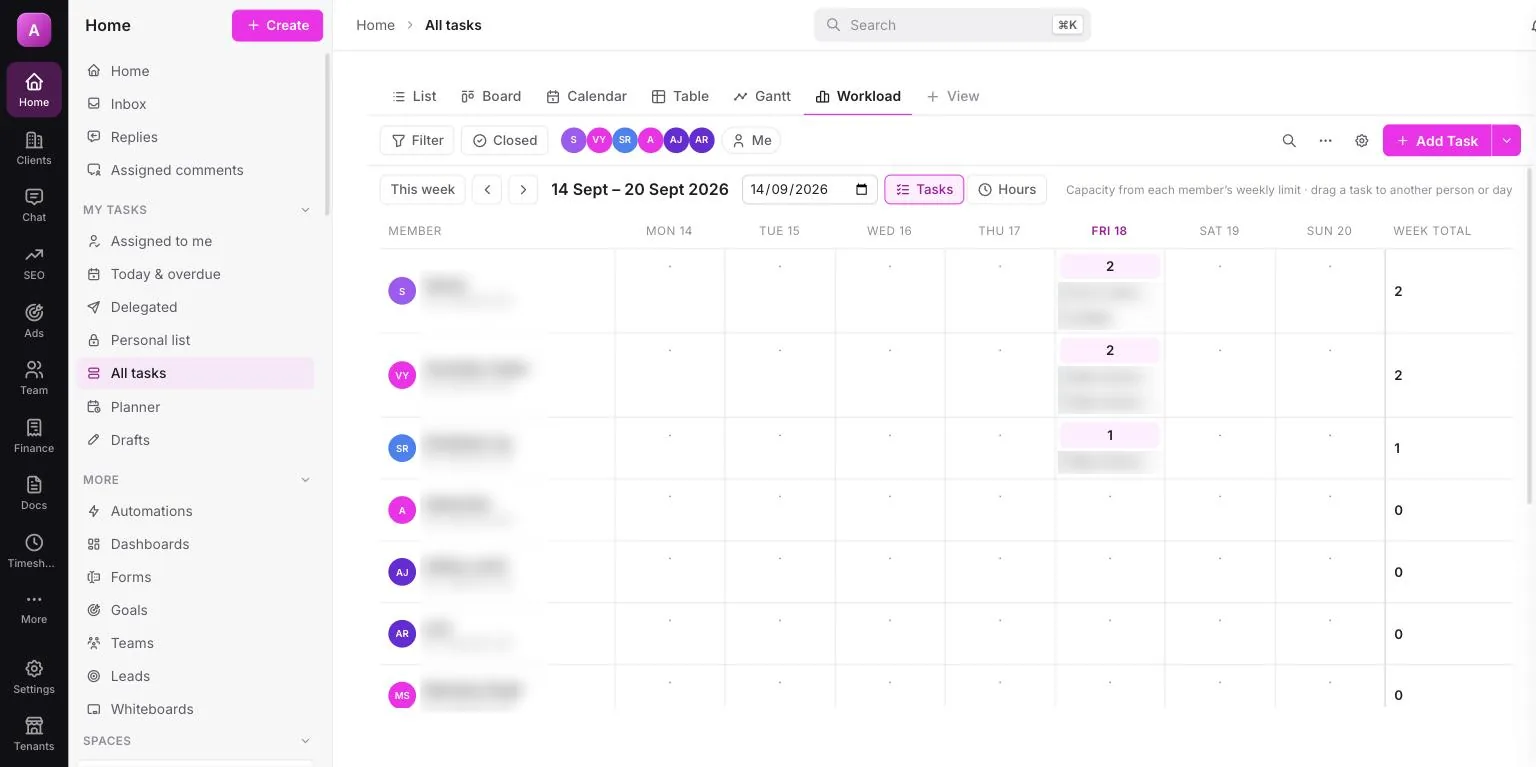
3. Workload (for whoever assigns work)
Most small agencies skip this view, and it would save them the most grief. It shows each person as a row and each day as a column, with task counts in the cells. You see at a glance that one editor has six reels due Friday and another has none. In a good tool you drag a task from one person to the other right there. We cover the capacity maths in how many clients one social media manager can handle.
4. "My tasks" (for editors and designers)
Your makers don't need the board, the calendar or the workload view. They need a short list: what's due today, what's due tomorrow, what came back for changes. In our own setup, editors and designers get a stripped-down "My tasks" app and nothing else.
Making day vs posting day: the date most setups get wrong
Every post has two dates, and most agencies only write down one. The posting day is when it goes live. The making day is when the maker must hand it in, which has to be earlier, because internal review and client approval need time.
If your task only has the posting date, your designer reads it as the deadline. The file arrives on Thursday evening for a Thursday post, the client sees it at 9 PM, and you're publishing late or publishing unapproved. We give each post a making day about two working days before its posting day. Two more details matter in India:
- Making days skip Sundays and office holidays. A Monday post can't have a Saturday-plus-Sunday buffer if nobody works Sunday. In My Digital Sevak, when you add your office holidays, production days are moved off them and off Sundays.
- Name files by posting date. Our Drive files carry the posting date in the name, never the making date, so anyone can match a file to its post without asking.
How do you stop chasing people for updates?
Asana's own research found that knowledge workers spend about 60% of their time on "work about work": chasing status, searching for information, switching between apps. In an agency, most of that chasing happens on WhatsApp, at night, by the founder.
Telling people to "update the tool" doesn't work; a task app they open twice a day loses to a chat they open two hundred times. So bring the task to WhatsApp instead of the other way round:
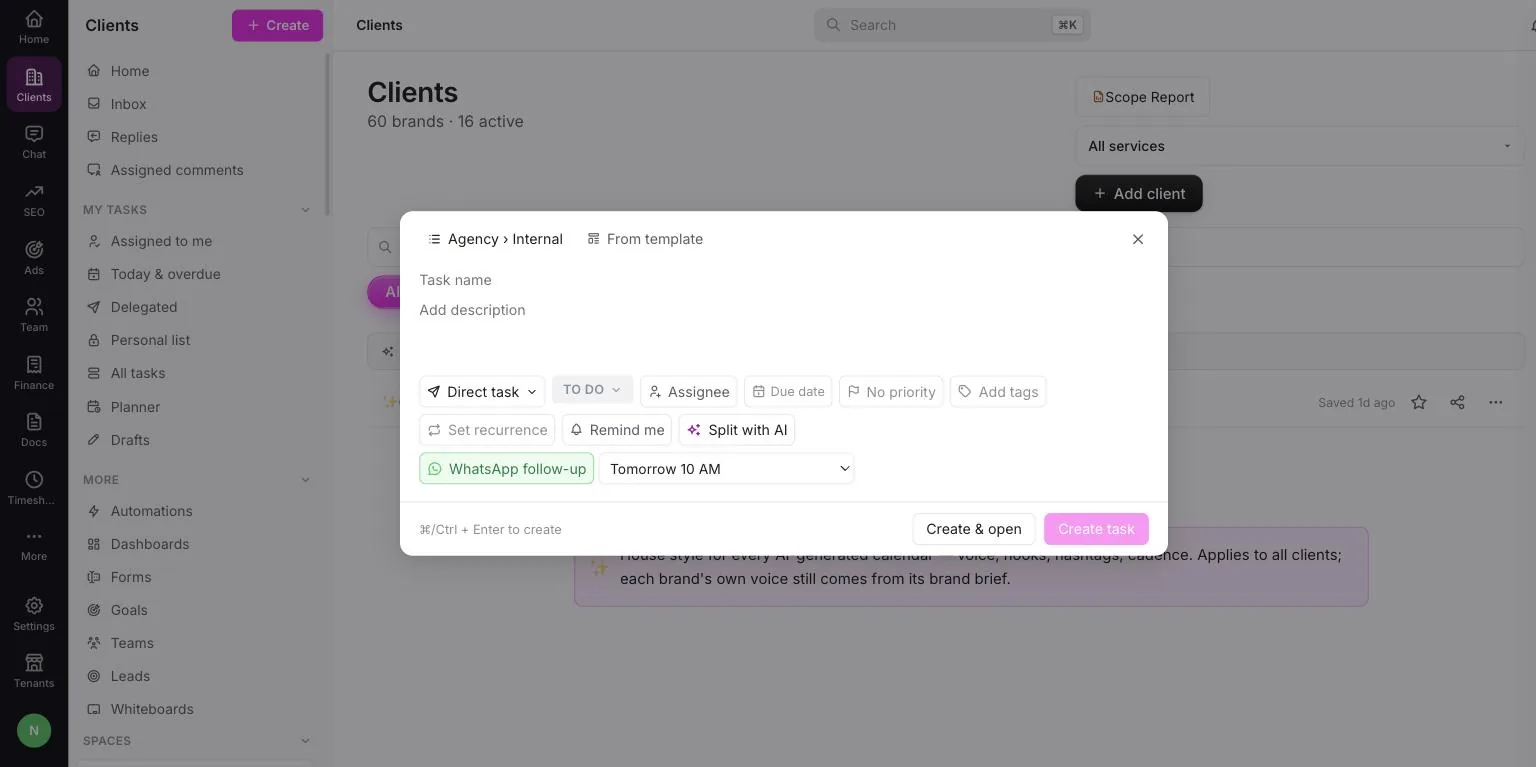
- On assignment: the person gets a WhatsApp message with the task and two buttons, Mark as done and Open task. Replying "done" works too.
- Follow-ups per task: "every 2 hours until done" for the urgent one, "1 hour before due" for the rest.
- Before it's due: a reminder 2 hours before a timed task, or at 9:30 AM for an all-day one, with quiet hours, do-not-disturb and a daily cap so nobody gets spammed.
- The loop closes: when the task is marked done, the person who assigned it is told. No more "ho gaya?" messages.
That is how the WhatsApp task reminders in My Digital Sevak work. One honest limit: nothing is sent until the agency connects its own WhatsApp Business provider (Meta Cloud API or AiSensy).
Who should see which tasks?
As you grow past five people, visibility matters. A freelancer editing two brands shouldn't browse every client's calendar. The rule we settled on: admins and managers see every task; everyone else sees only the tasks they're part of, whether assigned, created by them, or mentioned in. It keeps client work private and each maker's list short.
A setup you can copy this week
- List your statuses once (briefed → in production → in review → sent to client → revision → approved → scheduled → posted) and use them for every brand.
- Create one task per post for the next four weeks, each with an owner, a posting day and a making day.
- Give the brand manager the board, the founder the calendar and workload, and makers only their list.
- Move client approvals out of WhatsApp threads into a link or client app that changes the task's status when they tap Approve.
- Turn on WhatsApp nudges for assignments and due dates, with quiet hours.
- Run a ten-minute standup off the board every morning. If it isn't on the board, it doesn't exist.
You can do steps 1 to 3 in any decent task tool. Steps 4 and 5 are where generic tools need extra subscriptions, which is the math we lay out in how many tools a social media agency needs. If you'd rather keep tasks, approvals and publishing in one place, that's what our team workspace and agency management software are built for.
Frequently asked questions
Should every social media post be a separate task?
Yes. A post has an owner, a deadline, a status and a client waiting on it, which is exactly what a task is. Keep one task per post that moves through brief, production, internal review, client approval and publishing, instead of separate tasks per stage that someone has to close and reopen by hand.
What is the best task view for a social media content team?
There isn't one. Managers need a board grouped by status to spot stuck posts, a calendar by posting date to see gaps, and a workload view to see who is overloaded. Editors and designers need only a short list of their own tasks for today and tomorrow, nothing more.
What is the difference between making day and posting day?
Posting day is when the post goes live. Making day is when the designer or editor must finish it, usually a couple of working days earlier so there is time for internal review and client approval. Track both dates, or your team will treat the posting date as the deadline and approvals will slip.
How do you get team members to update task status?
Make updating cheaper than ignoring it. A WhatsApp message with a Mark as done button gets answered because it lives where the team already is. Pair it with a short daily standup that reads from the board, so a task that is not updated is visibly stuck in front of everyone.
Sources
- Asana: How work about work gets in the way of real work — the 60% "work about work" figure from Asana's Anatomy of Work research.
- Teamwork.com: social media project management software for agencies — on spreading work evenly so no one is overloaded.
Every post a task. Every nudge on WhatsApp.
Board, calendar, workload and "My tasks" views, client approvals and auto-publishing in one login. From ₹999/month, with a 7-day money-back guarantee.